B2B Sales: How to Prepare Your Inventory Before Summer
May 29, 2026

May 29, 2026

Summer sales are not just for consumer-facing retailers. In B2B, this period can also be a real business opportunity, as long as you are well prepared. For companies selling to professionals, sales can help boost revenue, free up warehouse space, relaunch certain products, and improve inventory turnover.
But to be effective, B2B Sales should not be improvised just a few days before they begin. Unlike B2C, B2B buying cycles are often longer, order volumes are higher, and purchasing decisions may require approval. That is why planning ahead is essential: identifying which products to discount, organizing your offers, preparing your inventory, and making sure your sales teams have the right information.
Before creating your offers, start by analyzing your existing inventory. Sales are a great opportunity to clear out products that have been sitting in your warehouse for several weeks or months.
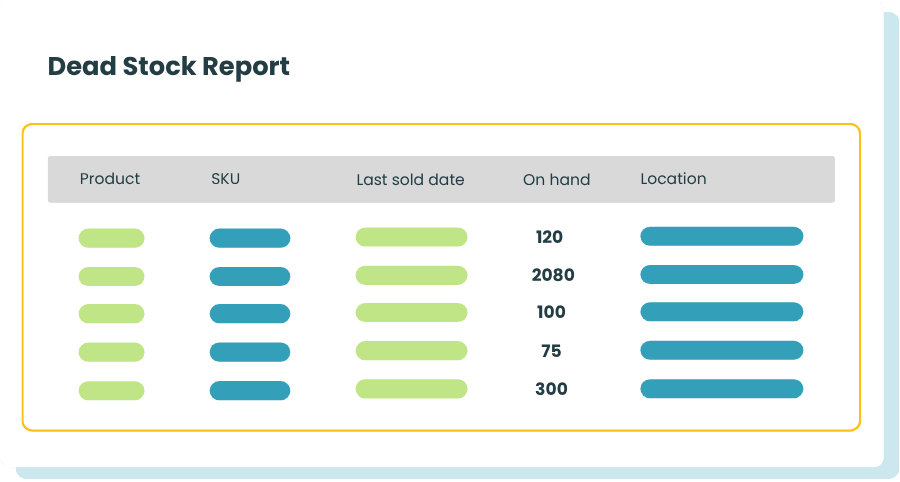
Dead stock refers to products that are no longer selling, or selling very little, even though they are still available. This can include old collections, seasonal items, products ordered in excessive quantities, or items that are no longer a priority in your catalog.
These products represent a cost for your business. They take up space, tie up cash, and may lose value over time. During sales, however, they can become a useful way to generate revenue and free up space for future orders.
To identify them, rely on your inventory reports. Look at products with little or no sales over the past few months. Compare available quantities with actual sales volumes. Also review the items that rarely appear in customer orders.
With Stockpit, dead stock is tracked by product and by storage location, based on the last date each product was sold. This allows you to identify items that have not been sold over a given period and prioritize the ones to include in your sales campaigns.
This step helps you avoid discounting products at random. Some products may be inactive because they are not promoted enough, not paired with the right items, or not visible enough. Others may need a stronger discount to move faster. A clear analysis helps you make the right decision.
Once you have identified the products you want to monitor, it is important to organize them clearly. This is where tags become especially useful.
Tags allow you to classify your products based on custom criteria. For example, you can create tags such as “Summer Sales,” “Dead Stock,” “Old Collection,” or “Seasonal Product.”
This method helps you quickly find the products concerned and build your offers more easily. It also helps avoid mistakes when several teams are involved in preparing the sales campaign, such as sales, purchasing, marketing, or logistics.
In B2B, catalogs can include a large number of products. Without a clear organization system, it can quickly become difficult to know which products should be highlighted, which ones should be excluded from discounts, and which ones can be combined with other items.
Tags also help you segment your actions. For example, you can prepare a specific campaign for high-stock products, another for end-of-line items, and another for complementary products to offer as kits. Your sales become more targeted and easier to manage.
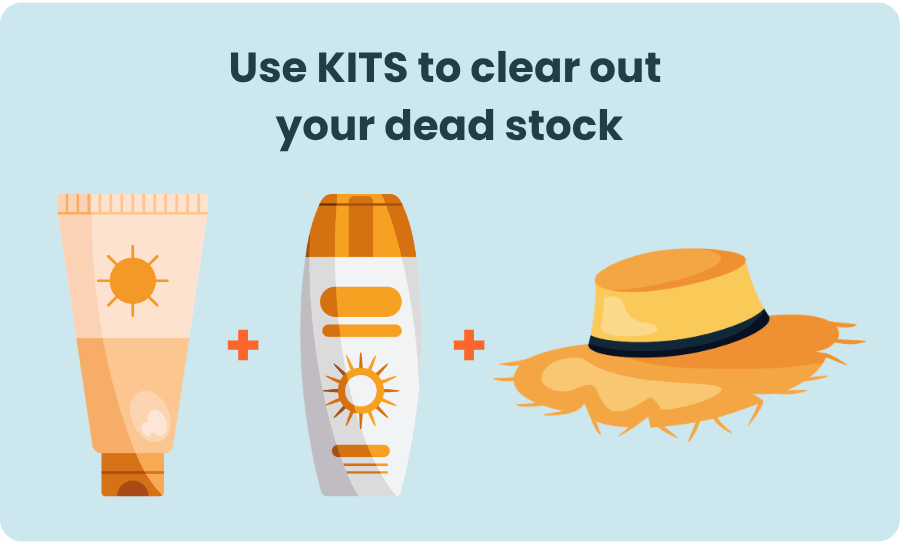
Kits are especially useful during B2B Sales. They allow you to group several products into a single offer, often making it more attractive for professional customers.
The idea is not simply to add a slow-moving product to a popular one. A good kit should make sense for the buyer. It should meet a specific need, simplify the purchasing process, or save time.
For example, a professional equipment supplier can create a starter kit, a replenishment pack, a seasonal bundle, or an offer combining a main product with complementary accessories. A distributor can create bundles by business activity, customer type, or specific need.
Kits are useful for clearing out dead stock without completely devaluing the products. Instead of offering a standalone discount on an item with low demand, you can include it in a more complete and relevant offer. The customer sees more value.
This approach can also increase average order value. In B2B, buyers often look for efficiency: a clear bundled offer can help them order faster, especially if it matches a recurring or seasonal need.
To make your kits work, monitor your inventory levels carefully. Make sure each component of the kit is available in sufficient quantity. A poorly synchronized kit can create stockouts or block orders, even when some products are still available.
Sales should not be prepared at the last minute. The more you plan ahead, the easier it is to build offers that are consistent, profitable, and easy to execute.
Start by defining your goals:
These goals will guide your product selection, discounts, and communication.
Next, review your margins. Not all products can support the same level of discount. Some items can be heavily discounted to accelerate their sale. Others require a more measured reduction to protect profitability.
Also think about your commercial terms. In B2B, discounts may depend on order volume, customer type, sales channel, or existing agreements. It is important to clarify these rules before launch to avoid confusion.
Your sales team also needs to be ready. They should know which products are included, which offers are available, which arguments to use, and which limits to respect. Clear information helps them sell more effectively and avoid pricing or availability errors.
Finally, prepare your communication. Professional customers need time to plan their purchases. Let them know early enough, especially if your offers involve limited quantities. An email campaign, catalog highlights, or targeted communication to specific accounts can make a real difference.
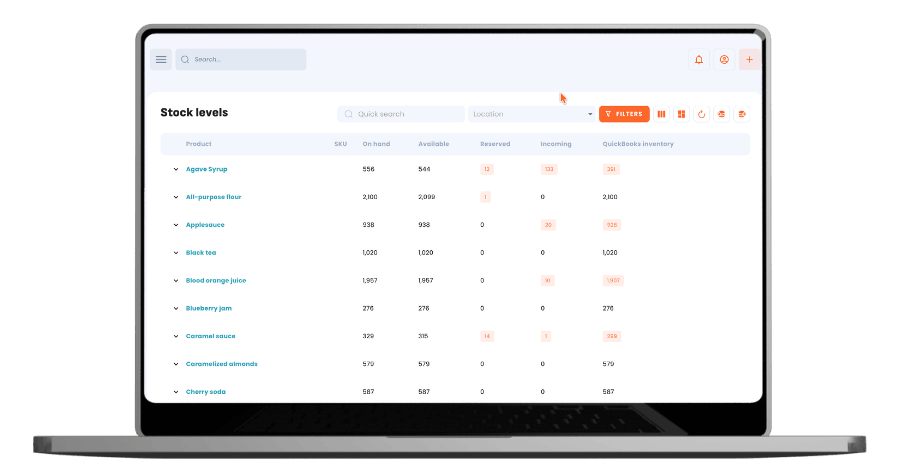
Once your sales are live, inventory tracking becomes essential. In B2B, order volumes can be significant and can change quickly. Without accurate visibility into available quantities, you risk selling out-of-stock products, delaying orders, or frustrating your professional customers.
Inventory tracking also helps you identify which products are selling faster than expected. You can then adapt your communication, guide customers toward alternatives, or adjust the quantities being promoted. On the other hand, if certain items remain inactive despite the discount, you can review their positioning, include them in a different kit, or create a more attractive offer.
By monitoring your inventory closely, you are not just analyzing sales performance. You are also securing order fulfillment, avoiding unnecessary stockouts, and improving the customer experience during a period when responsiveness is critical.
B2B Sales should not be seen as a one-time action. They can also help you better understand your inventory, your customers, and your sales cycles.
To succeed, offering discounts is not enough. You need to identify the right products, spot dead stock, organize your catalog, create relevant kits, prepare your offers ahead of time, and track performance in real time.
With Stockpit, you get a simple and effective solution to better manage your inventory during this period. Thanks to reports, product tags, kit management, and real-time stock levels, you can prepare your B2B Sales with more confidence and make better business decisions. Stockpit supports you in your day-to-day inventory management.
Say goodbye to stockouts! Get your inventory valuation, monitor the inflow and outflow of products and keep track of your inventory.


